First Backup Set Up Over the Holidays? What to Test Before You Wipe the Old Laptop
By Bernard Okafor·5 minute read
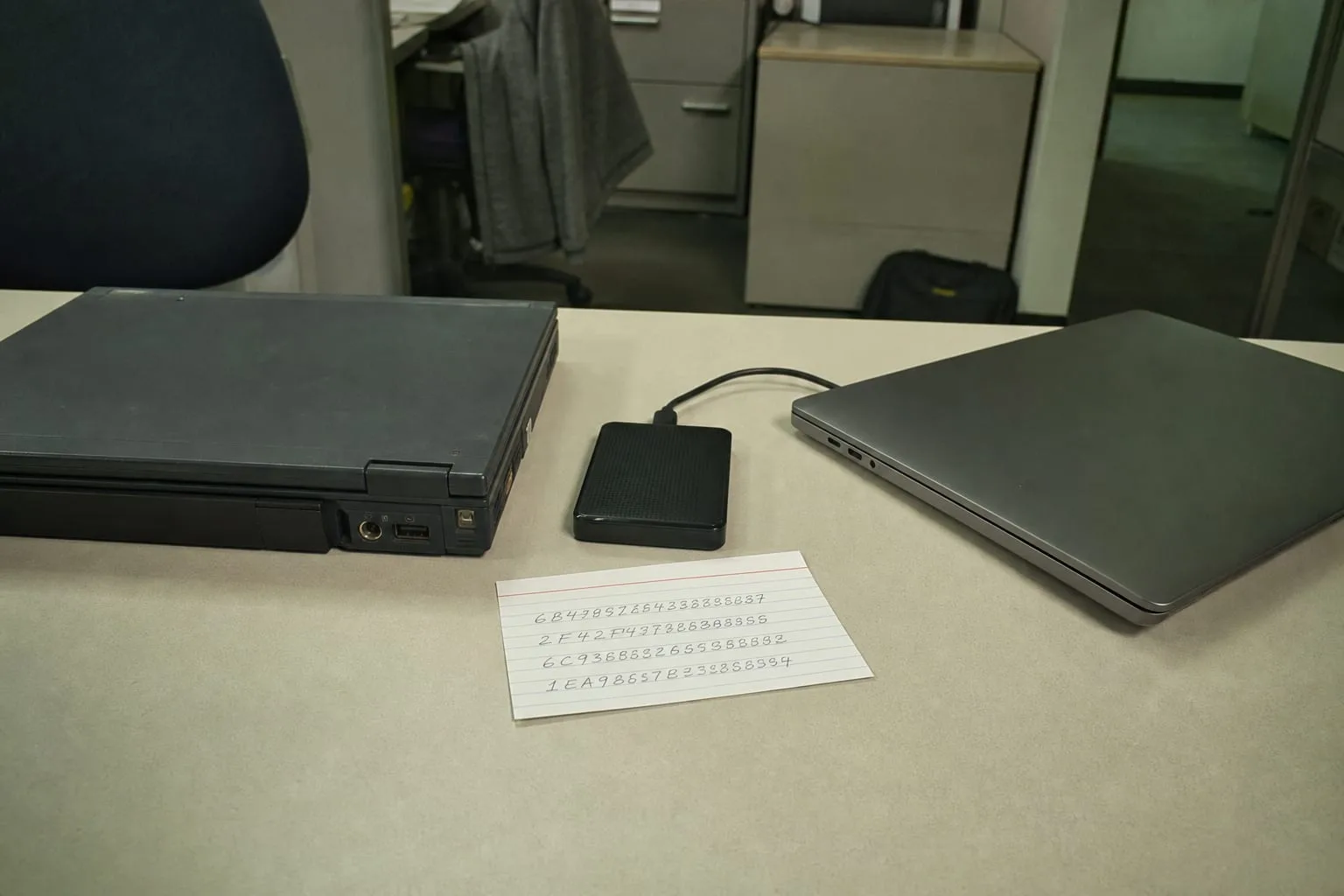
Technology, July 21, 2026: January is the month the old machine gets wiped, because a new one arrived in December and the desk only holds one. That handover is the moment a backup stops being a setting and becomes a claim: everything that mattered on the old drive is somewhere else, retrievable, and legally yours to retrieve. Most people making that claim for the first time have never tested it. They have watched a progress bar finish, seen a green check mark, and reasoned backward from the absence of an error message. The wipe is what converts an untested assumption into a permanent one.
The rotation habit was invented for tape, and it survived the medium
The shape of modern backup practice comes from machine rooms where the media was physical and finite. Tapes were written overnight, labeled by day, and cycled so that a daily set fed a weekly set which fed a monthly set, a scheme people still call grandfather-father-son. The point was never redundancy for its own sake. It was time depth: a way to reach back past the moment a file was corrupted, because corruption is usually discovered days after it happens. Someone had to carry a cartridge offsite, sign it into a vault, and sign it back out, which meant the chain of custody was documented from the beginning.
Out of that came the formulation most consumer software now implements silently, three copies of the data, on two kinds of media, with one held somewhere else. The reasoning behind each element is worth knowing rather than inheriting. Two copies on the same drive die together. Two copies on two drives in the same room die in the same flood or the same theft. The offsite copy exists for a category of loss that takes the whole address at once, which is why it was always the copy that required a person, a signature, and an agreement with whoever held the vault.
Sync arrived, and a lot of people quietly stopped keeping backups
Continuous file sync solved the offsite problem so gracefully that it displaced the practice it resembled. A folder on the laptop matches a folder in a data center, changes propagate in seconds, and a lost machine costs nothing but the hardware. That is genuinely good, and for device loss it is close to complete. What it is not is time depth. A sync service is built to make the remote copy identical to the local one, so a deletion, an overwrite, or an encryption event replicates outward with the same efficiency as any other change. The mirror is faithful, and that is the whole problem.
Ransomware forced the correction, and the correction is what makes current tools worth trusting. Versioning became standard rather than optional, retention windows were extended so that yesterday's file can be recovered after today's damage, and providers began offering copies that cannot be altered or deleted for a fixed period even by an account holder with valid credentials. The National Institute of Standards and Technology is responsible for the cybersecurity framework that most of this vocabulary now sits inside, and the practical effect for a household is that the features which used to require a vault contract are available in a consumer plan.
Whose data is on that drive, and who agreed to the copy
A family backup is rarely one person's material, and this is the part first-timers skip. A single machine in a shared house may hold a spouse's tax documents, an adult child's job applications, and photographs of people who never consented to being stored anywhere in particular. Copying all of it to a cloud account registered in one name transfers control as well as bytes, because the account holder is the only person the provider will speak to. Before the first full run, it is worth deciding on purpose whether the household wants one account for everything or separate accounts per person, since changing that later means re-uploading.
Work material is a sharper line. A laptop that touches an employer's systems is usually governed by an acceptable use policy that says, in plain terms, that company files may not be copied to personal storage, and that policy binds regardless of whether anyone reads it at onboarding. Client records, patient information, and anything covered by a confidentiality agreement carry the same restriction with statutory weight behind it. If a backup is going to sweep an entire user profile, the exclusion list is where consent gets recorded, and building it before the first run costs a few minutes rather than an explanation later.
There is also the question of who may restore. A password manager, a recovery key, and a second factor tied to a phone that is being replaced can leave a perfectly good backup unreachable by the person who needs it most. Providers offer legacy contacts, trusted recovery contacts, and delegated access under various names, and naming one is a five minute task that turns a private archive into something a spouse or executor can actually open. Write the recovery key down on paper and keep it where important documents live.
The restore test, which is the only part that proves anything
Testing a backup means pulling a file out, not confirming that one went in. Pick three items of different kinds, a photograph, a spreadsheet with formulas in it, and a document from a folder five levels deep, then restore them to a new location on a different machine and open each one. Formulas that arrive as values, images that arrive as thumbnails, and folders that arrive flattened are all common outcomes that a progress bar reports as success. Do this before the old laptop is erased, while the original is still available for comparison, because comparison is the entire point.
Then set the calendar. A restore test once a quarter is enough for a household, and the natural anchors are the ones already in the year: early April, when tax records are fresh and their retrievability matters most, then July, October, and the first week of January when the device turnover happens. Check that the backup is still running as well as still restoring, since the most common silent failure is an expired payment method or a permission a system update revoked. Ten minutes, four times a year, against a loss that is otherwise total.
The old machine can go once a real file has come back out of the copy and opened correctly on hardware that is not the one being retired. Until that has happened, keep the drive, keep it powered off, and keep it in a drawer. It costs nothing to wait a month.